
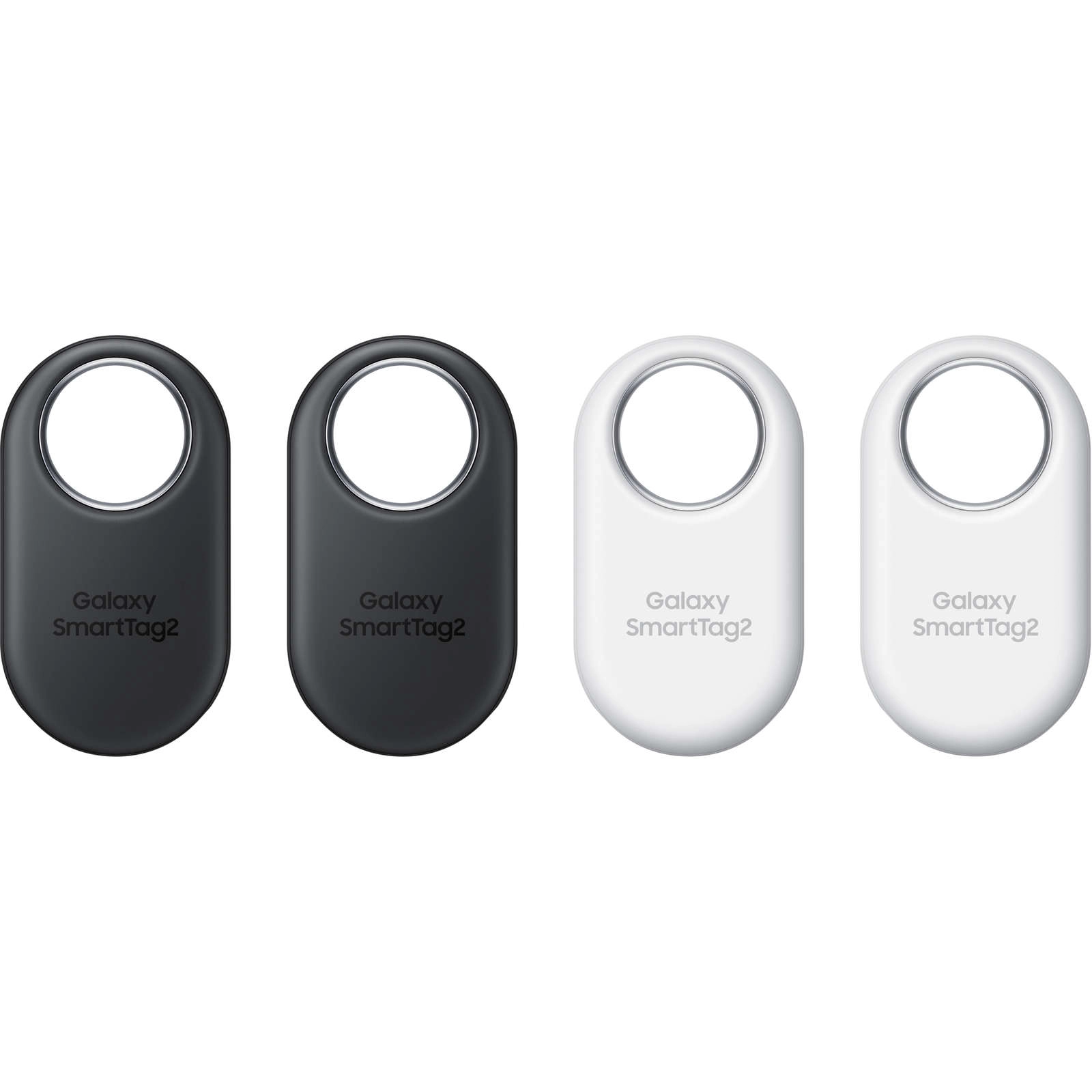
The Samsung Galaxy SmartTag2 Bluetooth Tracker is the ultimate solution for anyone who frequently misplaces their valuables. With a sleek design and advanced technology, this tracker makes it easy to locate your important items. Whether you attach it to your keys, bags, or even your pet, you can rest assured that you will never lose sight of what matters most.
Featuring Bluetooth 5.3, the SmartTag2 provides enhanced connectivity. This means you can track and locate your belongings with greater accuracy and efficiency than ever before. The tracker works seamlessly on the Galaxy Find Network, allowing you to utilize scanned data to locate your items privately, even when you are offline.
One of the standout features of the SmartTag2 is the AR Finding capability. This innovative technology guides you step-by-step to locate your lost items using augmented reality. Simply use the SmartThings app, which requires installation, to manage your tracker effortlessly and keep track of your valuable possessions.
Checking the location of your product is incredibly simple. You can remotely check the product’s location from the SmartThings app on your mobile device. To find its location, trigger a notification sound on the product. Just open the SmartThings app, tap on Devices, select your product card, and then tap View map. Alternatively, you can navigate to Life → Find. You will see the current location of the product displayed on the map.
If your product is lost or far from you, the SmartThings app can direct you to its exact location. To get route guidance, open the SmartThings app, tap on Life → Find → More → Navigate. This feature provides you with accurate directions to the location where your product is situated, ensuring you can retrieve it with ease.
The SmartTag2 also helps you find your mobile device if it is connected to the tracker. If you cannot find your mobile device nearby, simply press the product’s button twice. This action will trigger the mobile device to sound its ringtone, making it easier for you to locate it. To turn off the ringtone, follow the on-screen instructions or press the product’s button twice again.
| Product Features | Description | ||||||
| Bluetooth 5.3 | Enhanced connectivity for accurate tracking. | ||||||
| Galaxy Find Network | Locate items even when offline. | ||||||
| AR Finding |
Related products |




Reviews
There are no reviews yet.